DESCRIPTION:
We can run multiple operating systems simultaneously on a single PC. It's like running a PC on your PC.
ADVANTAGES:
STEPS TO USE:
to download: http://www.filehippo.com/download_vmware_player/
 The first option is to install an OS from a cd or dvd , if we have an OS original cd we can use it.
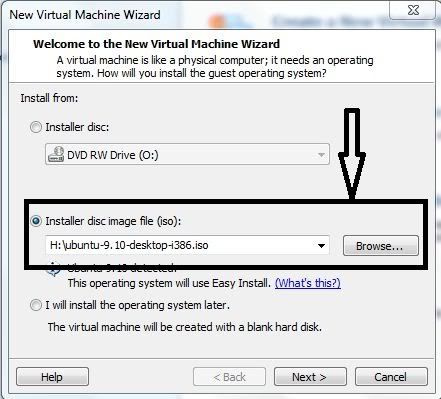
Then the second option is used to install an OS from an image file of a OS cd (.iso or .nrg)format files .And click next.
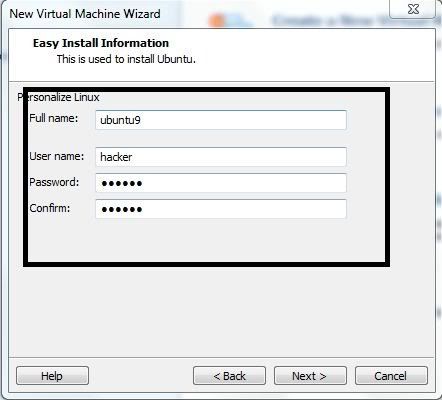
 Then the prompt ask for user details based on different OS as shown below. Click next
 Then enter your Hard disk size which your new OS to be installed (it does not take space from your original memory its fully compressed).
 After entering HD size choose your partition specification. Then click next.
 Then it will show hardware specification you can modify the RAM size based on your RAM as shown in the below.

Then click FINISH the OS installation starts .
 After long time it finished installation and ask for user name and password which you given before in step 4.

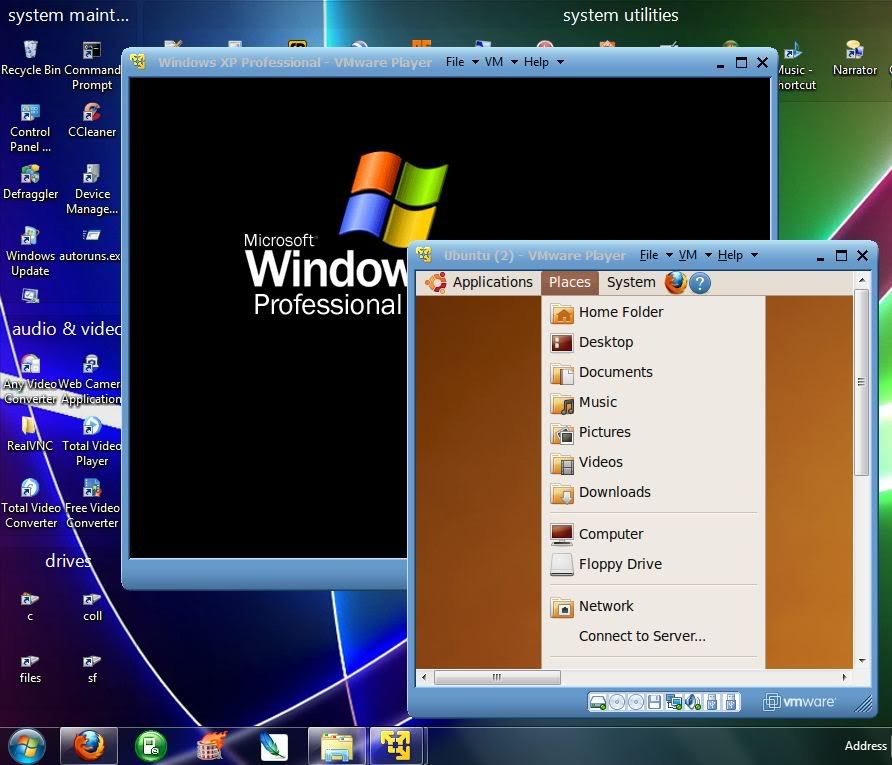
After you can use it like this.

ADVANTAGES:
- By this we can run multiple OS simultaneously without any reboot we switchover from one OS to another OS as like as switchover the normal windows in any OS.
- The full OS will install in a separate compressed memory.
STEPS TO USE:
to download: http://www.filehippo.com/download_vmware_player/
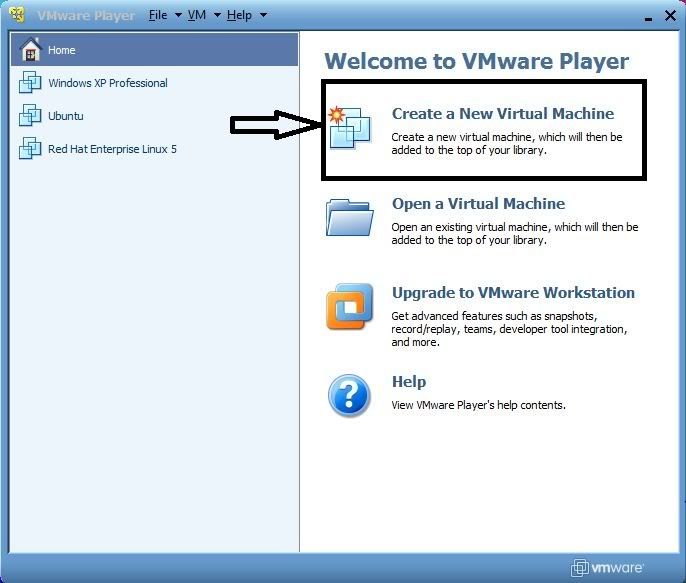
- After downloading just make a double click to install then after installation it looks like the shown below.
- Then you have to select the below"create a new virtual machine"
 The first option is to install an OS from a cd or dvd , if we have an OS original cd we can use it.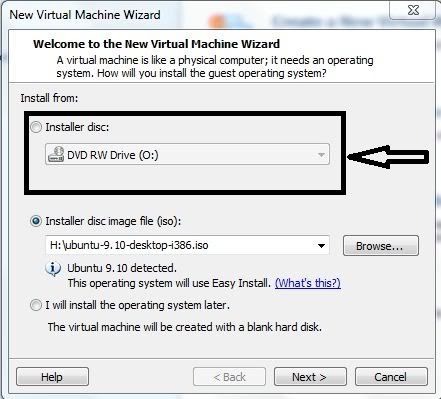
Then the second option is used to install an OS from an image file of a OS cd (.iso or .nrg)format files .And click next.
 Then the prompt ask for user details based on different OS as shown below. Click next
 Then enter your Hard disk size which your new OS to be installed (it does not take space from your original memory its fully compressed).
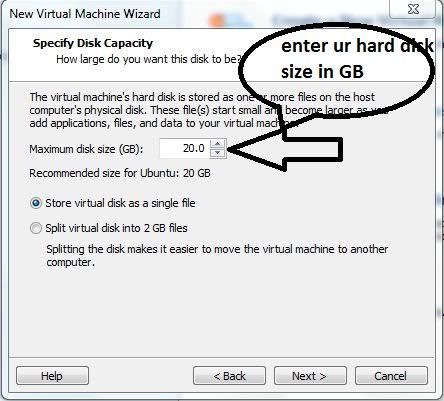 After entering HD size choose your partition specification. Then click next.
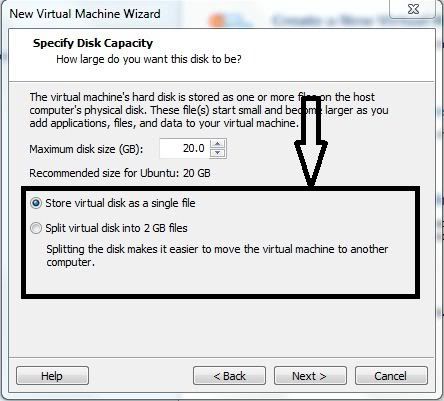 Then it will show hardware specification you can modify the RAM size based on your RAM as shown in the below.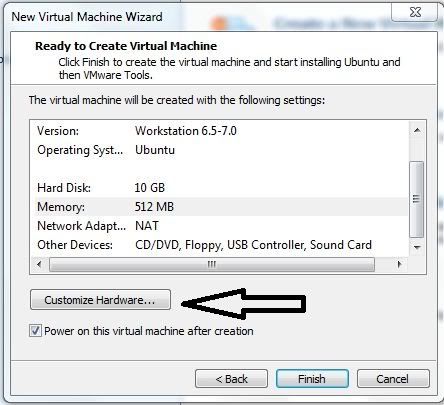
Then click FINISH the OS installation starts .
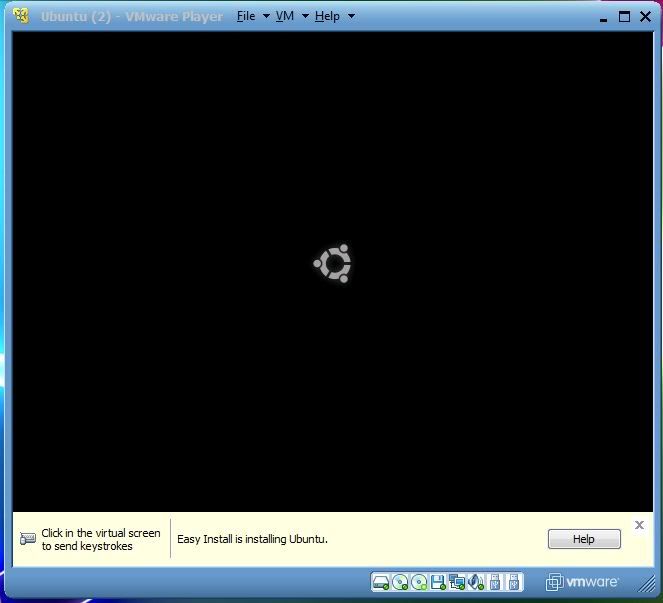 After long time it finished installation and ask for user name and password which you given before in step 4.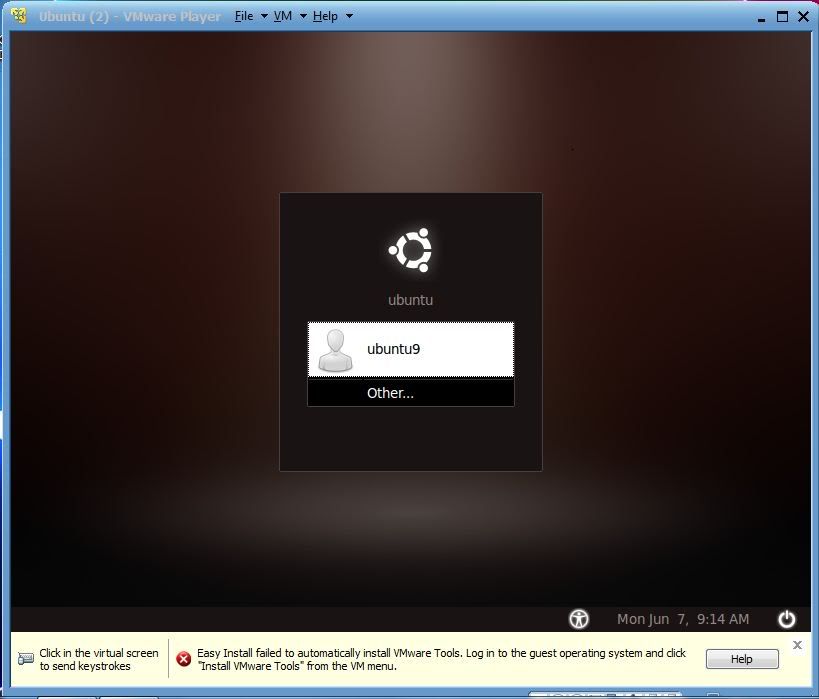
After you can use it like this.

No comments:
Post a Comment