A freeware utility to view, modify, add, delete and extract resources in 32bit Windows executable .Resource Hacker TM is a freeware utility to view, modify, rename, add, delete and extract resources in 32bit Windows executable and resource files (*.res). It incorporates an internal resource script compiler and decompiler and works on Win95, Win98, WinME, WinNT, Win2000 and WinXP operating systems.
TO DOWNLOAD:
http://www.soft32.com/Download/Free/Resource_Hacker_340/4-3568-1.html
Viewing Resources:
Cursor, Icon, Bitmap, GIF, AVI, and JPG resource images can be viewed. WAV and MIDI audio resources can be played. Menus, Dialogs, MessageTables, StringTables, Accelerators, Delphi Forms, and VersionInfo resources can be viewed as decompiled resource scripts. Menus and Dialogs can also be viewed as they would appear in a running application.
Saving Resources:
Resources can be saved as image files (*.ico, *.bmp etc), as script files (*.rc), as binary resource files (*.res), or as untyped binary files (*.bin).
Modifying Resources:
Resources can be modified by replacing the resource with a resource located in another file (*.ico, *.bmp, *.res etc) or by using the internal resource script compiler (for menus, dialogs etc). Dialog controls can also be visually moved and or resided by clicking and dragging the respective dialog controls prior to recompiling with the internal compiler.
Adding Resources:
Resources can be added to an application by copying them from external resource files (*.res).
Deleting Resources:
Most compilers add resources into applications which are never used by the application. Removing unused resources can reduce an application's size.
EXAMPLE : TO EDIT AN (.exe) FILE
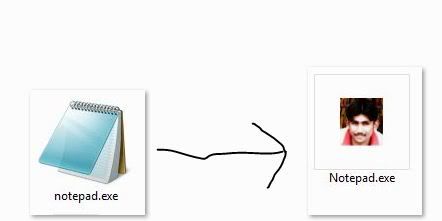
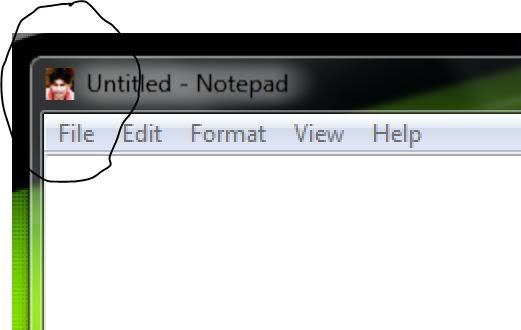
As we saw in the above we can extract .exe or .dll file to modify it .For example i changed a icon of notepad to my photo as shown in the below.

Step 1:
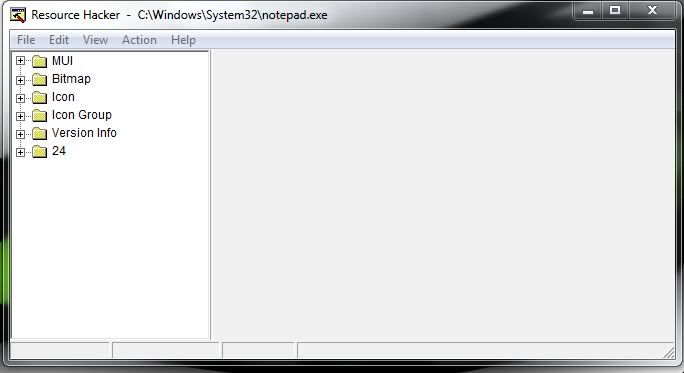
First we have to open the notepad.exe file from (C:\Windows\System32\notepad.exe) in our resource hacker software. Then it will be like this
Step 2:
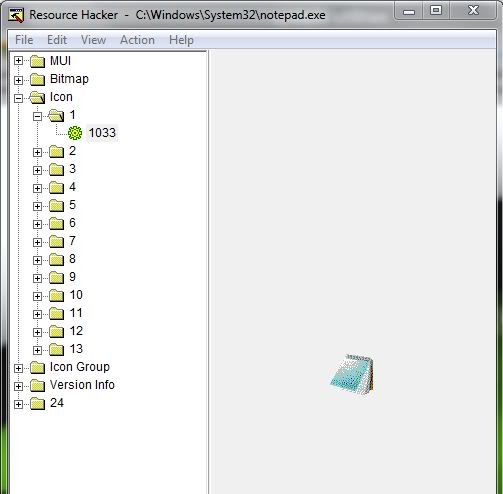
Then we have to expand the folders to find 1033 as shown in below.
Step 3:
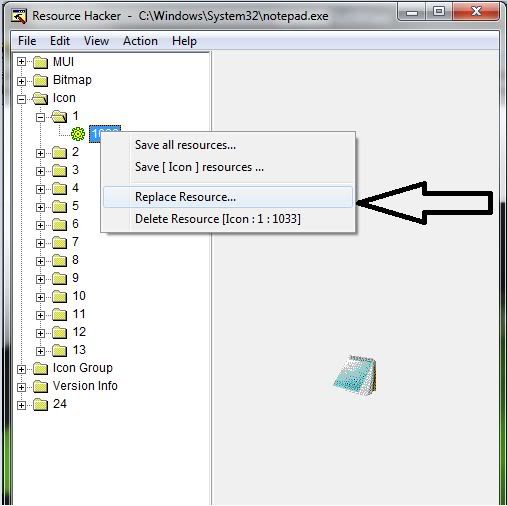
Then make a right click on this file to select Replace resource. As shown below.
Step 4:
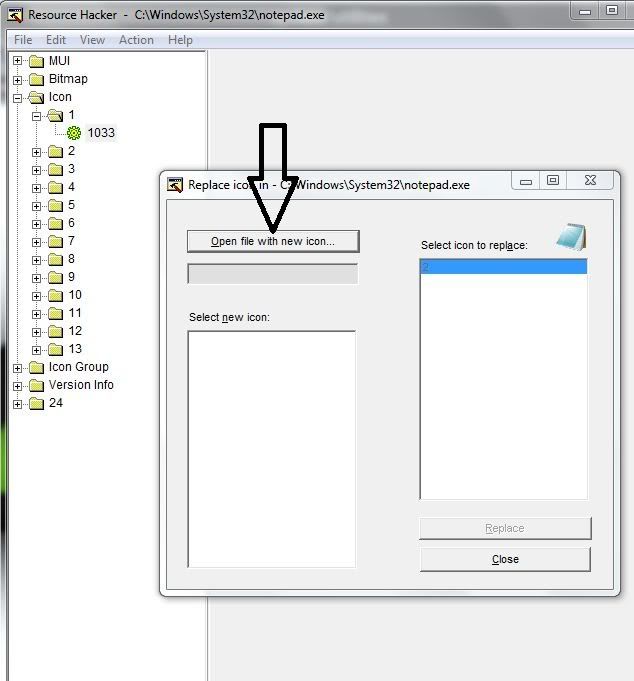
Then select open file with new icon.
Step 5:
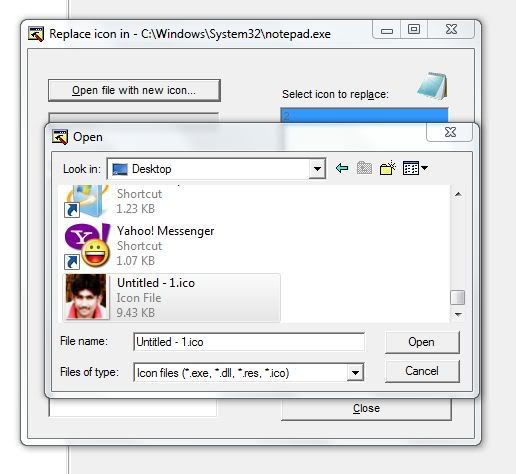
Then browse for your icon file (.ico) which is to replace instead of original file.
Step 6:
EXAMPLE : TO EDIT AN (.exe) FILE
As we saw in the above we can extract .exe or .dll file to modify it .For example i changed a icon of notepad to my photo as shown in the below.
Step 1:
First we have to open the notepad.exe file from (C:\Windows\System32\notepad.exe) in our resource hacker software. Then it will be like this
Step 2:
Then we have to expand the folders to find 1033 as shown in below.
Step 3:
Then make a right click on this file to select Replace resource. As shown below.
Step 4:
Then select open file with new icon.
Step 5:
Then browse for your icon file (.ico) which is to replace instead of original file.
Step 6:
Then click Replace.
Step 7:
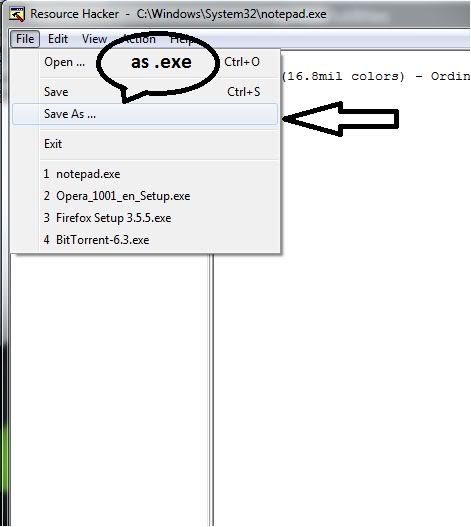
Then go to File->save as and save this file as new.exe .
OUTPUT :
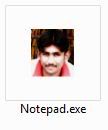
File looks as:


Step 7:
Then go to File->save as and save this file as new.exe .
OUTPUT :
File looks as:

No comments:
Post a Comment